
Printing in one colour gets boring fast. A toy with a red body and blue wheels looks way better. So does a name plate with white letters on a black base. Not long ago, you had to paint those parts yourself. Now the printer does it for you. Flashforge is a brand many home users and small shops talk about, so this guide explains how these printers work, what they cost and what to check first. Finding the best multicolor 3D printer is simple once you know the basics.
How Colour Printing Works
Most home printers use filament. That’s a thin plastic string. The printer melts it and builds your model one layer at a time. A multicolor FDM printer does the same thing, but it can switch between different filaments in one print. Each part of the model gets its own colour.
There are two main ways to do this.
In the first way, there’s one nozzle. A feeder swaps between spools. Every time the colour changes, the printer pushes out a bit of plastic to clean the nozzle. That extra plastic goes in the bin.
In the second way, the printer has a few toolheads. Each one has its own nozzle and its own colour. The printer swaps the whole head. There’s hardly any waste.
Neither way is the best for everyone. The first costs less and takes up less space. The second is faster on big models and wastes less plastic.
The Flashforge AD5X for Beginners
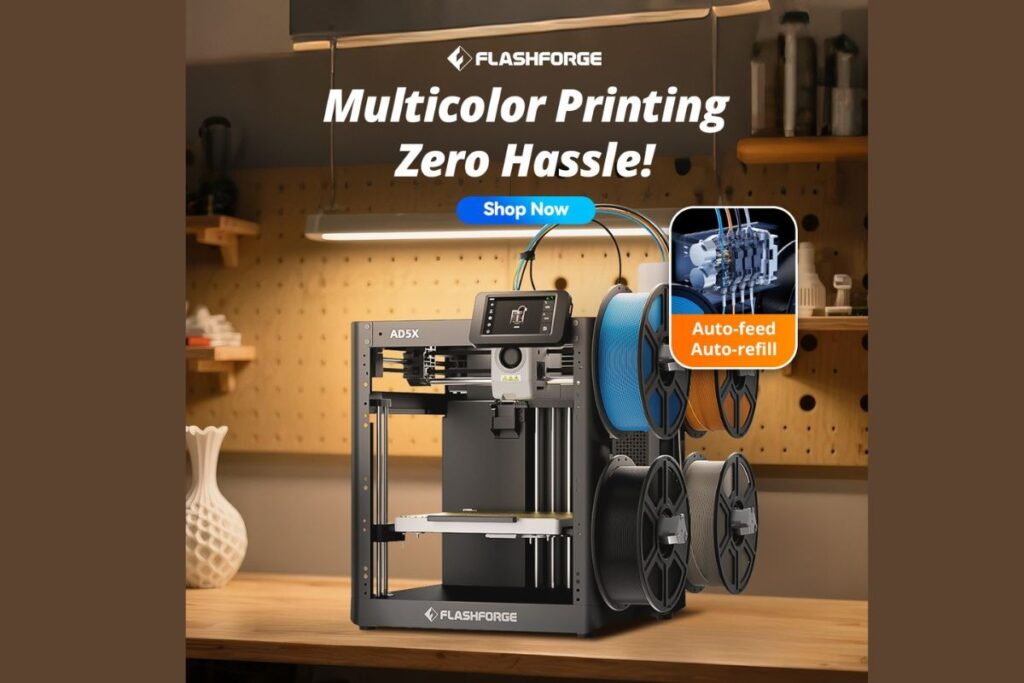
If you’re new to colour printing, the Flashforge AD5X is an easy pick. It’s a 4 color 3D printer with a filament system built right in. Four spools sit side by side. The printer feeds them into one nozzle and swaps colours on its own. You don’t have to stand there changing plastic by hand.
It’s fast too. It has a strong frame, a touchscreen and automatic bed levelling. That last one helps a lot. Most beginners get stuck on setup first, and this takes the stress away.
It works with common plastics like PLA and PETG. It also connects by Wi-Fi, so you can send files straight from your computer. The print size is good for toys, desk items and small parts. For really big models, you’ll need a bigger machine.
The Flashforge Creator 5 for Less Waste
Print in colour a lot? Then the Flashforge Creator 5 might suit you better. It has four separate toolheads, and they swap in just a few seconds. Each head holds one colour, so almost no plastic gets wasted.
That’s great for big, colourful prints. Less waste means you spend less on filament over time. Quick swaps also help long jobs finish sooner. Small businesses, schools and serious hobby users like this one because they print every week.
There’s also an enclosed version. It keeps the heat inside, which helps when printing with tougher plastics. If you want colour and strong materials on one machine, that’s the one to look at.
What They Cost
Multicolor 3D printer price depends on how the machine works inside. A single-nozzle 4 color 3D printer costs the least, often a few hundred dollars. Lots of buyers start there. Machines with several toolheads cost more, because each extra head adds parts.
Think about running costs too. You’ll keep buying filament, and a single-nozzle machine wastes some with every colour change. Over many prints, that adds up. A machine with less waste can cost more on day one but save you money later.
When you compare multicolor 3D printer prices, check what’s in the box. Some sellers only add a tiny bit of filament, so plan on buying a few spools right away. Sales pop up often, so watch for deals before you pay full price.
Print Quality and What to Check
Good colour printing means clean edges. Look for sharp lines where two colours meet, with no bleeding between them. A solid frame and smooth movement give you much better results.
Ask yourself a few easy questions before buying. Does it level its own bed? Is the nozzle simple to change? Is the slicing software easy to use? Software matters as much as the machine, because that’s where you pick the colour for each part.
Look at real photos from real owners, not just the shop pictures. Real prints show the true detail and how well the colours line up.
Final Thoughts
The best multicolor 3D printer depends on what you want to make. Beginners and casual makers will probably like a simple single-nozzle machine, and the Flashforge AD5X is a friendly place to start. Heavy users and small businesses may want a toolhead machine for less waste and faster jobs.
Set your budget first. Think about the size of the models you want and how much filament you’re happy to throw away. Then pick the one that fits. Colour printing is far easier than it used to be, so it’s a good time to give it a go. Flashforge offers a clear path from your first colour print to a full workshop setup, which makes it a smart name to look into.